
Campaign Tasks help you stay on track and get the most out of your crowdfunding campaign. They provide helpful recommendations and reminders for creating, promoting, and managing your campaign.
Some tasks are recommended, while others may be required to complete certain steps. Tasks can be automatically generated by the platform or created manually by you or another member of your team.
Where are the campaign tasks? #
You can open the Task Center from two places:
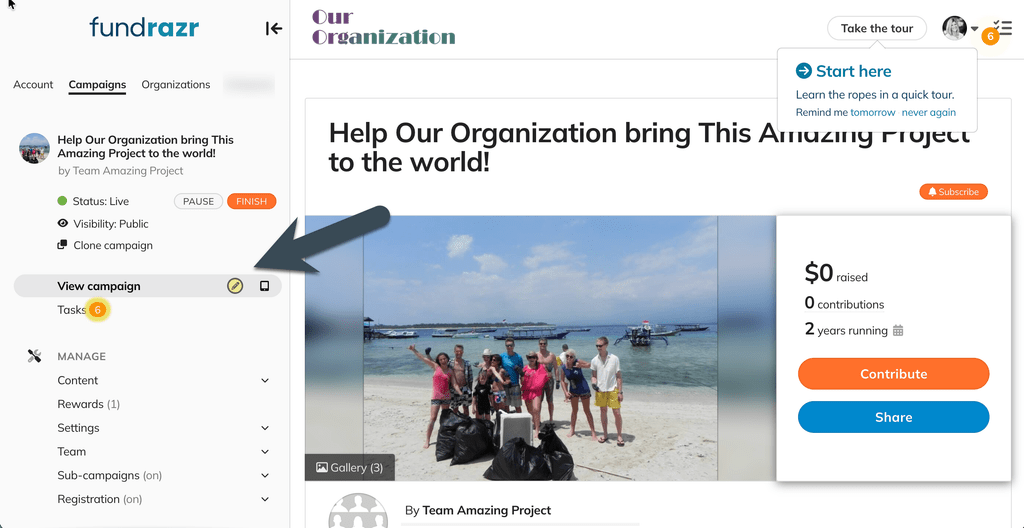
1. The navigation menu:
Select Tasks from the campaign navigation menu.
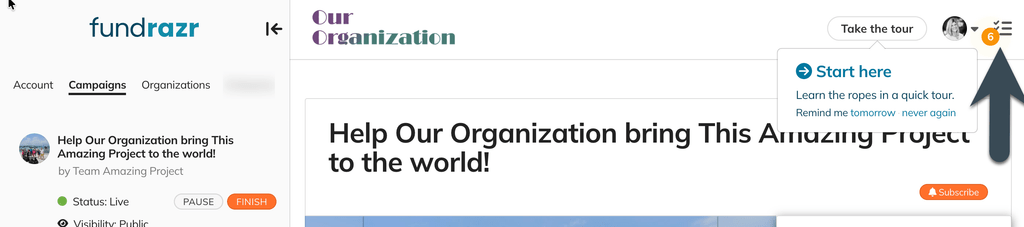
2. From your user menu:
Select the Task icon from the user menu in the upper-right corner of your campaign.
How should I use tasks and the Task Center? #
The Task Center automatically displays tasks based on what you’re doing with your campaign and when certain actions may be helpful.
Tasks can include recommendations for:
- Completing your campaign setup
- Promoting and sharing your campaign
- Engaging with your supporters
- Managing your campaign
- Reviewing important campaign information
Some tasks may also include links to helpful resources in our Help Center, Fundraiser Hub, Creator Hub, or blog.
When you open the Task Center, you’ll see your campaign tasks organized under the To Do tab.
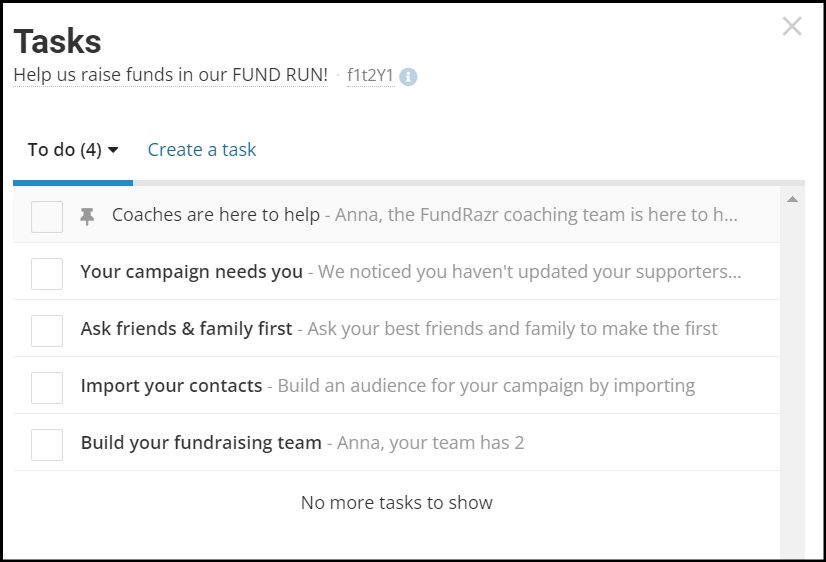
You can check off tasks given to you by the platform or other team members, or create your own tasks!
Complete, snooze, or dismiss a task #
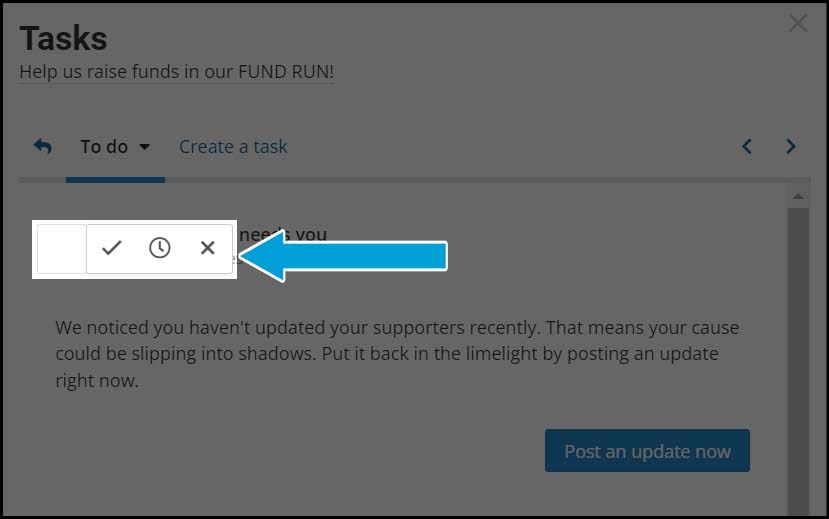
Select a task to view more information and available actions.
You can:
- Complete the task by selecting the checkmark.
- Snooze the task by selecting the clock. This will remind you about it later.
- Dismiss the task by selecting the X.
Create your own tasks #
Tasks aren’t limited to recommendations from the platform. You can also create your own tasks to help manage your campaign or coordinate with your team.
For example, you might create a task to:
- Contact a potential sponsor
- Schedule a social media post
- Follow up with a donor
- Review campaign results
- Assign a task to another team member
Select Create a task in the Task Center to get started.
Why should I use campaign tasks? #
Tasks are designed to help you take the right actions at the right time. We recommend checking your Task Center regularly throughout your campaign.
Following the recommended tasks can help you stay organized and ensure you’re taking important steps to set up, promote, and manage your campaign successfully.
Other articles on Tasks: #