
Embed a campaign onto any website for a ramped-up way to engage potential supporters.
How to embed a widget #
Click the ‘Embed’ icon in the campaign’s share bar to see widget options and grab the code snippet you need.
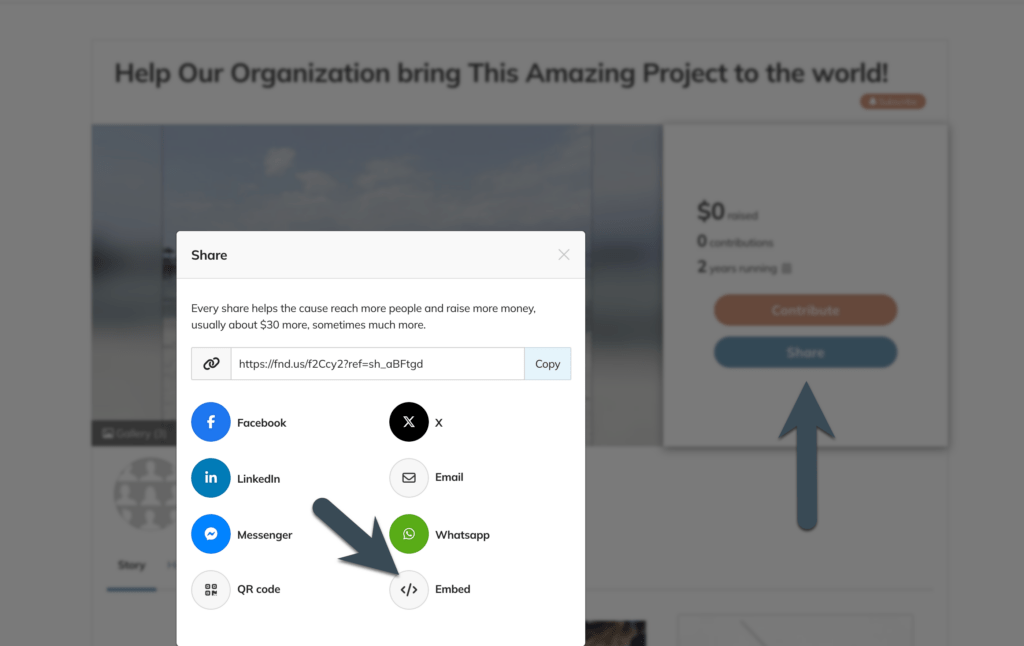
This link opens the widget menu, where you can grab a code snippet to paste into your website to create a SmartWidget badge or button that people can click instead of a text link.
And you DON’T need to be a programmer to do it. Trust us, if your friendly neighbourhood content writer (who couldn’t code to save my life) can do it, so can you.
When you open the Widget menu, you’ll see this:
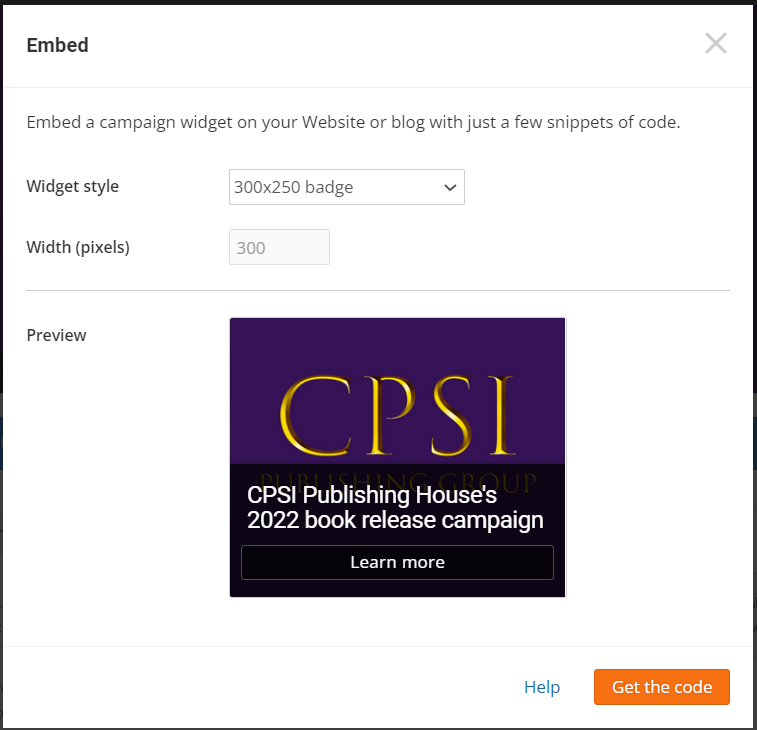
Once you’ve chosen your style, click “Get the code,” where you’ll see options to click a Loader script and a Widget script.
Copy & paste both the Loader code and the Widget code into your website’s source code.
Loader script – This is the JavaScript needed to enable the widget. You can place this snippet anywhere on the page, but it works best in the Header or Footer.
Widget code – This is the code for the widget itself. Place this snippet where you want the widget to appear on the page.
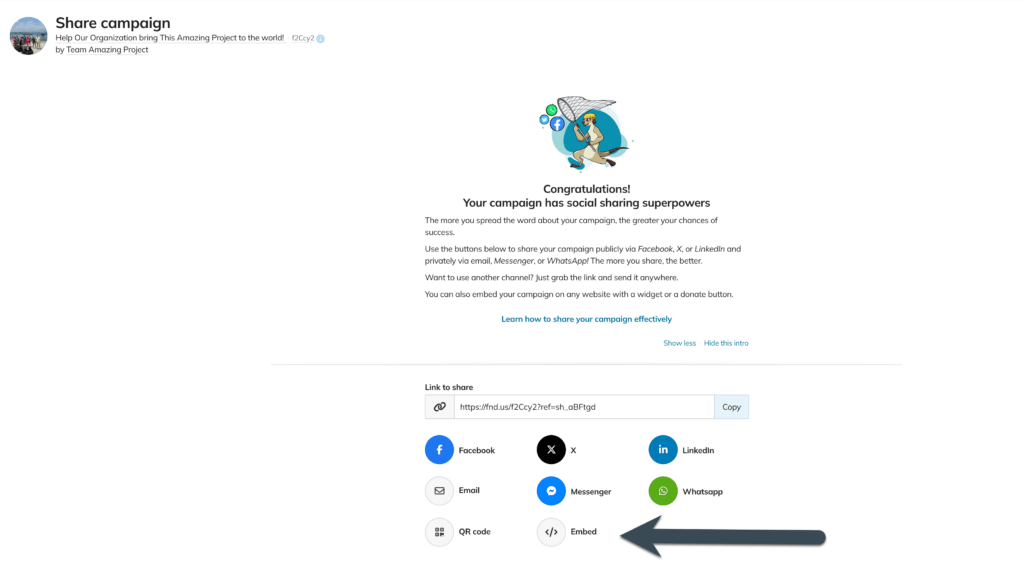
You can also embed from under the Engage Section>Share>Actions>Embed
Restrictions & Tips #
- If you use WordPress.com or a similar Content Management System to host or build your website (Weebly, Wix, Squarespace, etc.), these widgets may not work for you because WordPress and some other Content Management Systems tend to strip JavaScript from the source code before loading the page for a visitor.
- This link might help IF you have some advanced HTML knowledge:
http://codex.wordpress.org/Using_Javascript
- If you have more than one campaign running at the same time, you can place them all on one web page. To do this, you only need to add the loader script to the page once, then for each additional campaign, and you only need to change the 5-digit code for your campaign
- Most email clients and newsletter services can’t run JavaScript, and the loader code for campaign widgets is written in JavaScript. This means you probably won’t be able to embed a campaign widget in an email or newsletter.
Are you an organization looking to customize widgets for your website? Click here: