
Sharing your campaign is one of the most important steps you can take to reach your fundraising goal. Your campaign team, supporters, and community can all help spread the word and bring more people to your campaign.
This article explains the different ways you can share your campaign and how personalized sharing can help you track referrals.
Part 1: Share your campaign from the Share Centre #
The Share Centre is available to campaign team members. To open it, go to Engage > Share in your campaign navigation.
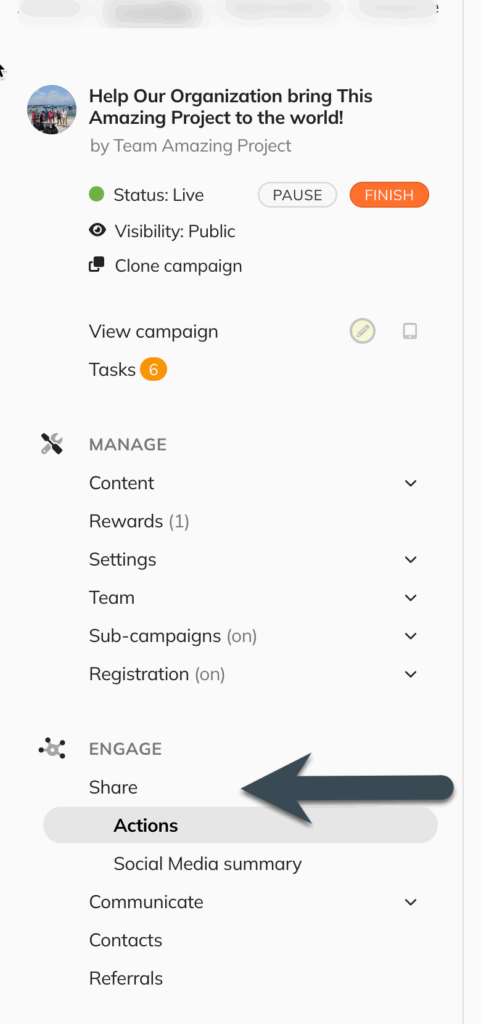
The Share Centre gives you several ways to share your campaign with your network.
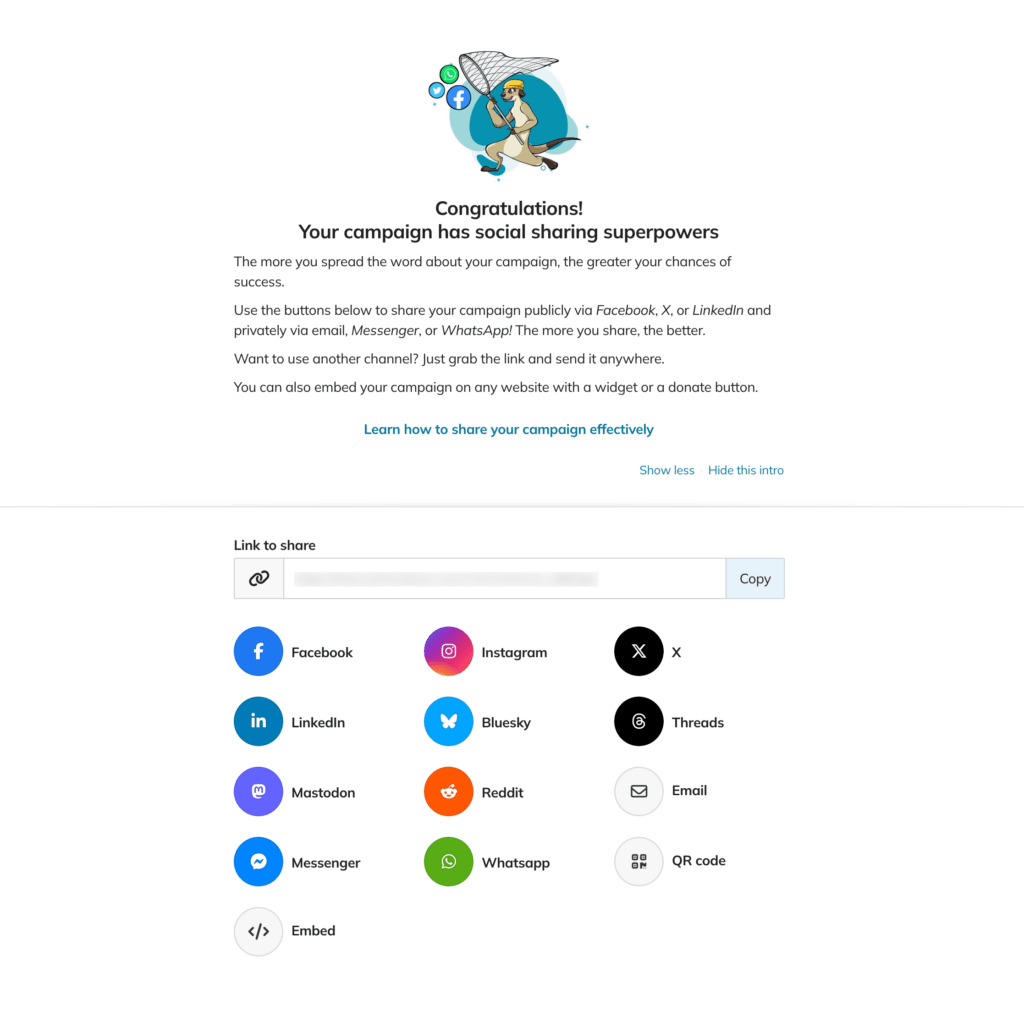
Ways to share your campaign #
Depending on the platform and available integrations, you can share your campaign through:
- Threads
- Bluesky
- Mastadon
- X
- Facebook Messenger
- Copy Link – Copy your campaign link to share by text message, on social media, or anywhere else you communicate with your audience.
- QR Code – Download or print a QR code that links directly to your campaign.
- Embed – Add your campaign to an external website using an embeddable widget.
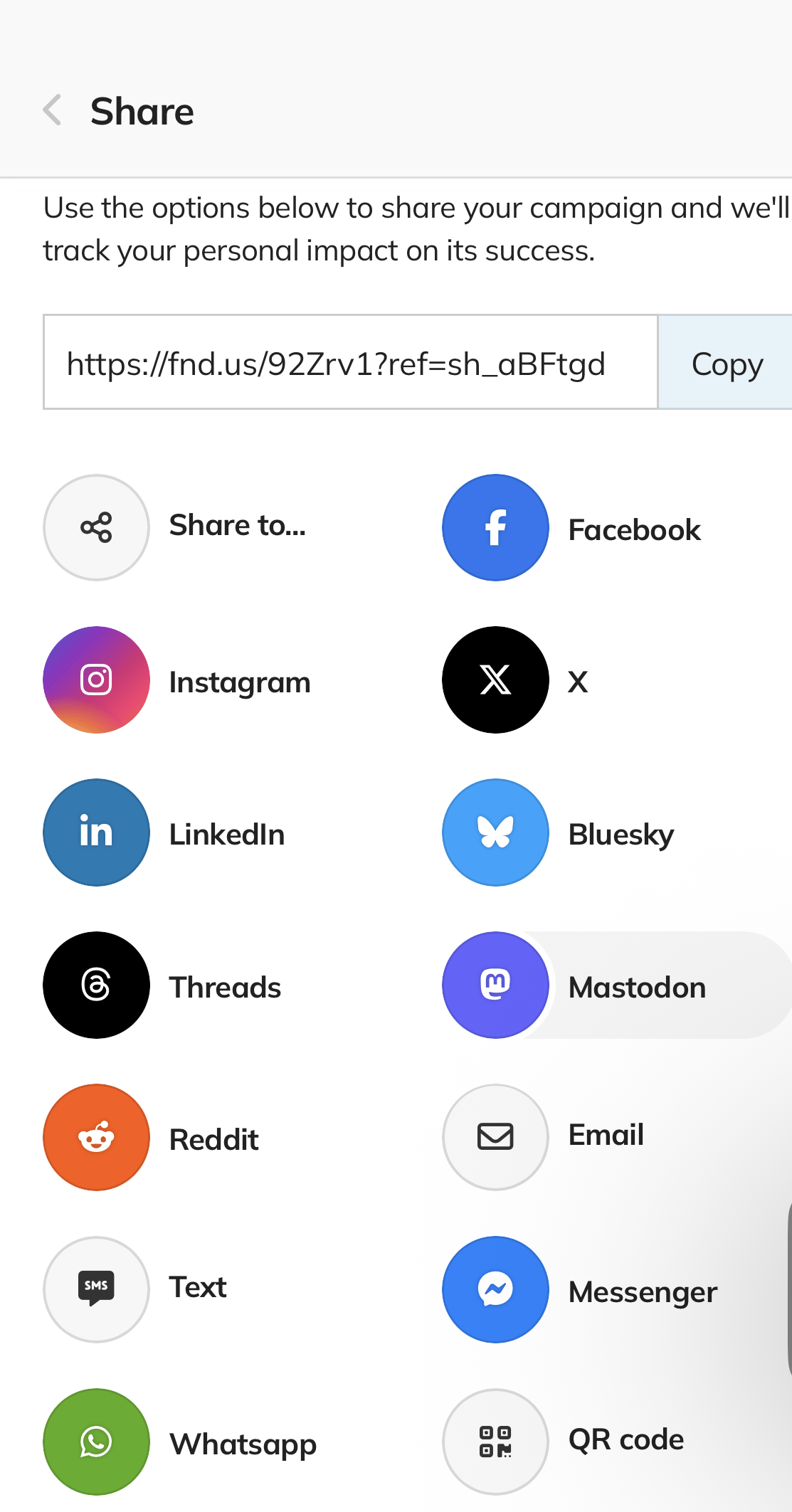
You will see a variety of ways to share your campaign. (see screenshot below)
What is personalized sharing?
When you share a campaign while signed in to your account, the platform can add a personal referral code to your campaign link.
You’ll see the referral code at the end of the URL, beginning with ?ref= followed by a combination of letters and numbers.
For example:
https://crowdfundr.com/yourcampaign?ref=ABC123
Personalized sharing can be useful for two reasons:
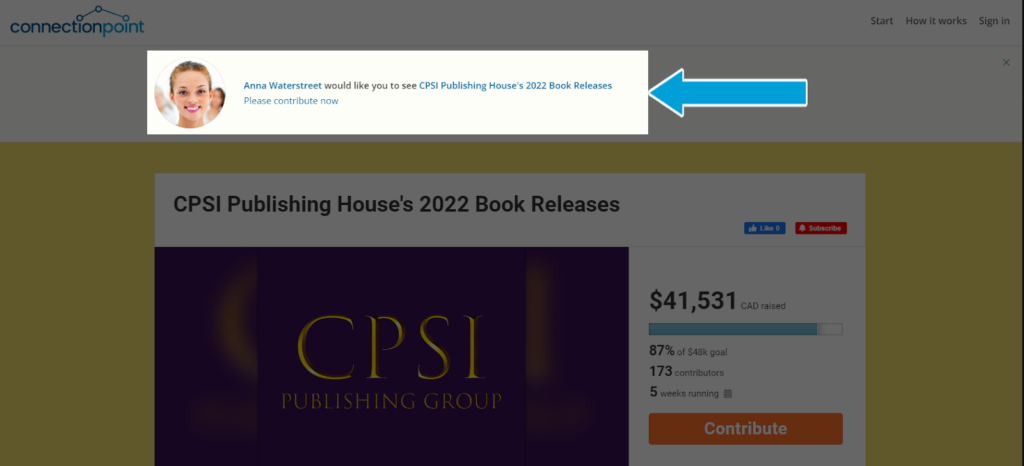
1. Add a personal message to the campaign #
Campaign team members can have a personalized message or video displayed to people who visit the campaign through their referral link.
This gives you an opportunity to introduce the campaign in your own words and make the connection more personal for your audience.
2. Track referrals and contributions #
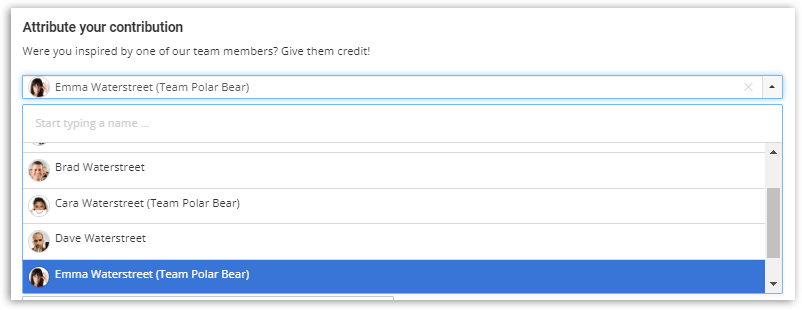
If your campaign has multiple team members, personalized referral links can help you see which team member’s sharing activity resulted in contributions.
For example, if a supporter clicks a team member’s personalized link and then makes a contribution, that contribution can be attributed to that team member.
Important: Personalized sharing settings #
The Enable personalized sharing setting applies only to sharing through the Share Center.
Changing this setting does not affect sharing through the Share Bar that appears on the campaign page.
Part 2: Share your campaign from the Share Bar #
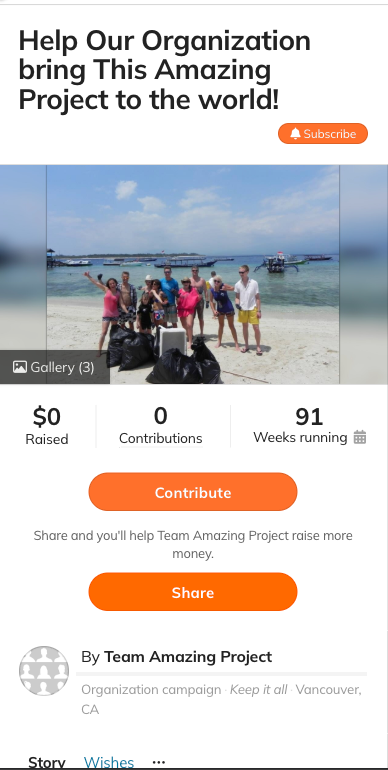
The Share Bar appears on your campaign page and can be used by both campaign team members and supporters.
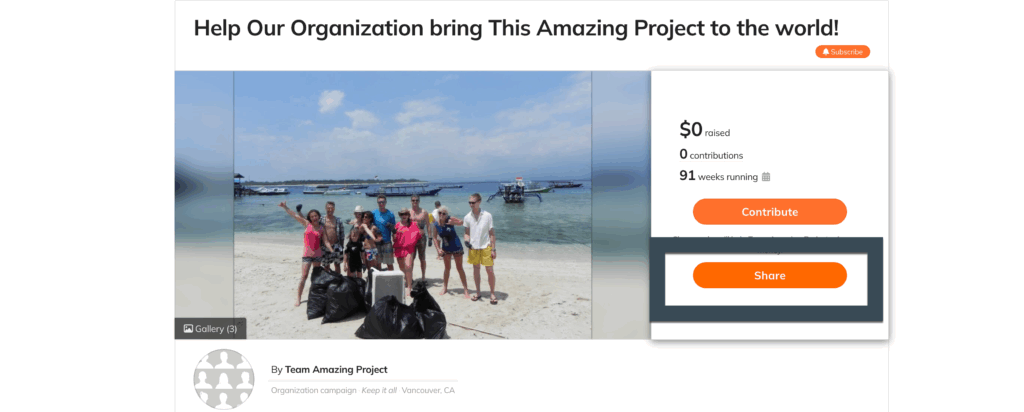
This makes it easy for your supporters to help spread the word about your campaign.
Encourage your supporters to share! Your existing community can be one of your most valuable sources of new supporters, so consider asking them to share the campaign with their friends, family, colleagues, and social networks.
The Share Bar offers many of the same sharing options available in the Share Centre.
Referral tracking from the Share Bar #
When a supporter is signed in to their account, their personalized referral information can be included when they share your campaign.
If the supporter is not signed in or does not have an account, referral tracking may not be available.
Tips for sharing your campaign #
Don’t rely on a single post or email. Successful campaigns are typically shared multiple times and across several channels.
Consider:
- Sharing your campaign when it launches
- Asking your supporters to share it with their networks
- Posting regular campaign updates
- Sharing milestones and progress toward your goal
- Highlighting stories, photos, videos, or other content that gives people a reason to contribute
- Sharing a direct campaign link in emails, newsletters, and social media
- Using a QR code for posters, events, and printed materials
For more campaign promotion ideas and best practices, visit:
Fundraiser HUB: for FundRazr, CoCoPay, and PetFundr users
Creator HUB: for Crowdfundr users