Attribute cash or other outside contributions – from events and conventions, sponsor contributions, a cheque (‘check’ for our American friends) from your grandma – to your campaign through offline contributions!
Important notes about offline contributions: #
- You cannot add offline contributions to a Simple Donation Form Layout.
- They cannot be added to campaigns that are still in draft mode. Campaigns must be launched (or paused) to add.
- Currently, only 1 reward can be claimed via this method. But you must first create the online contribution, and then you can add the 1 reward.
- They are FREE to add!
- Since they are not actual transactions, you can delete them if necessary.
Adding #
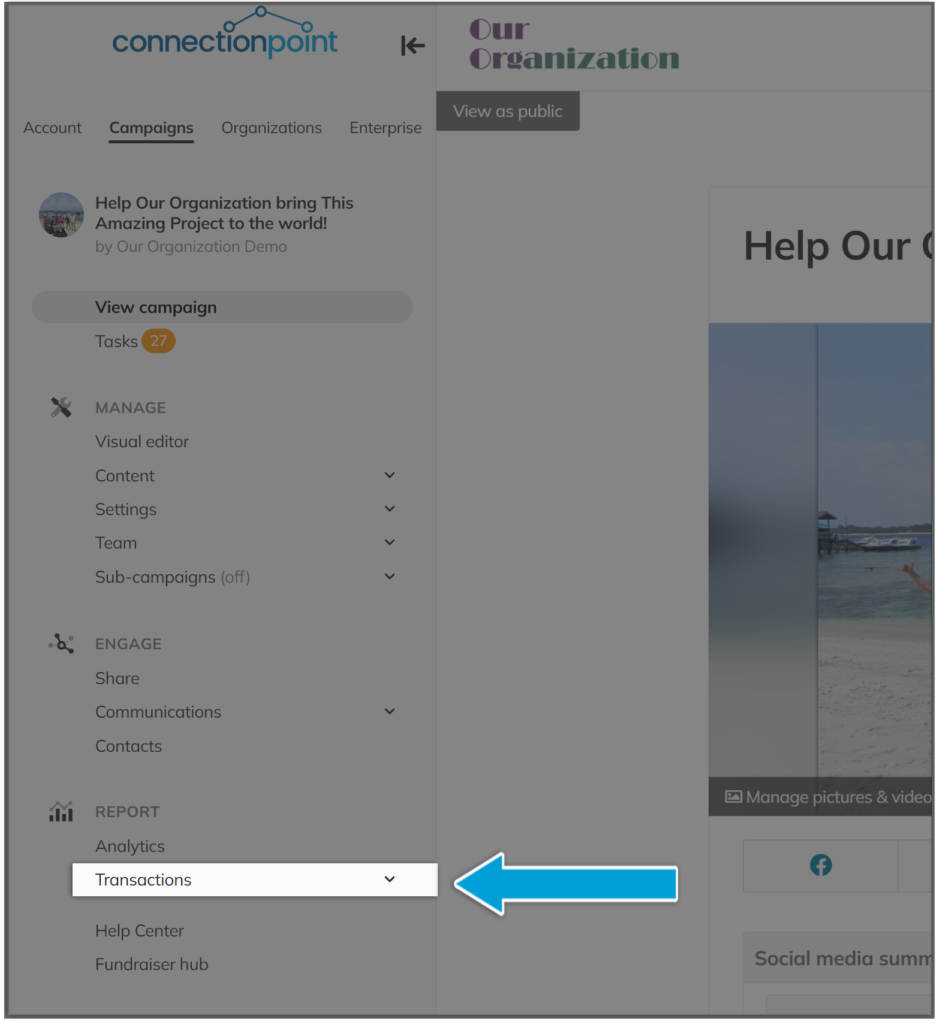
STEP 1 – Click ‘Transactions’ in your navigation menu.
STEP 2 – Click ‘Add offline contribution’
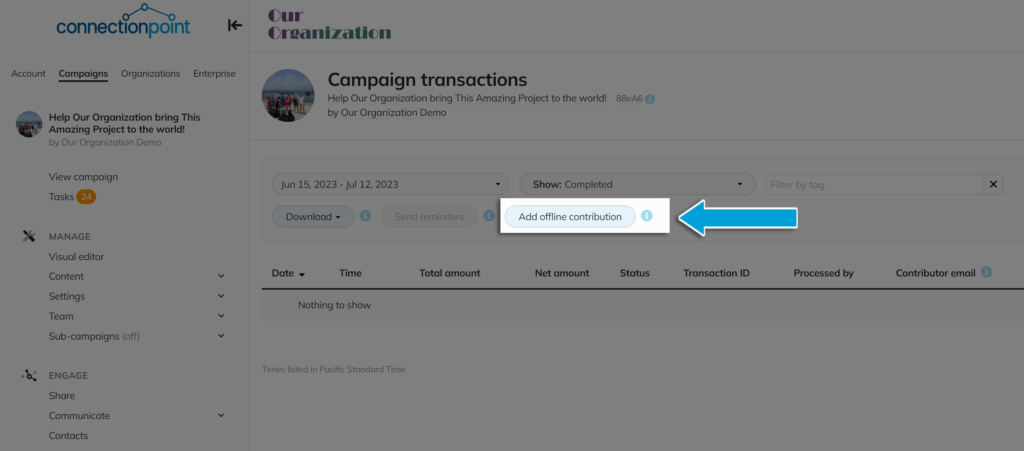
This must be the campaign transactions menu. You cannot add offline contributions to the Organization profile’s transaction menu.
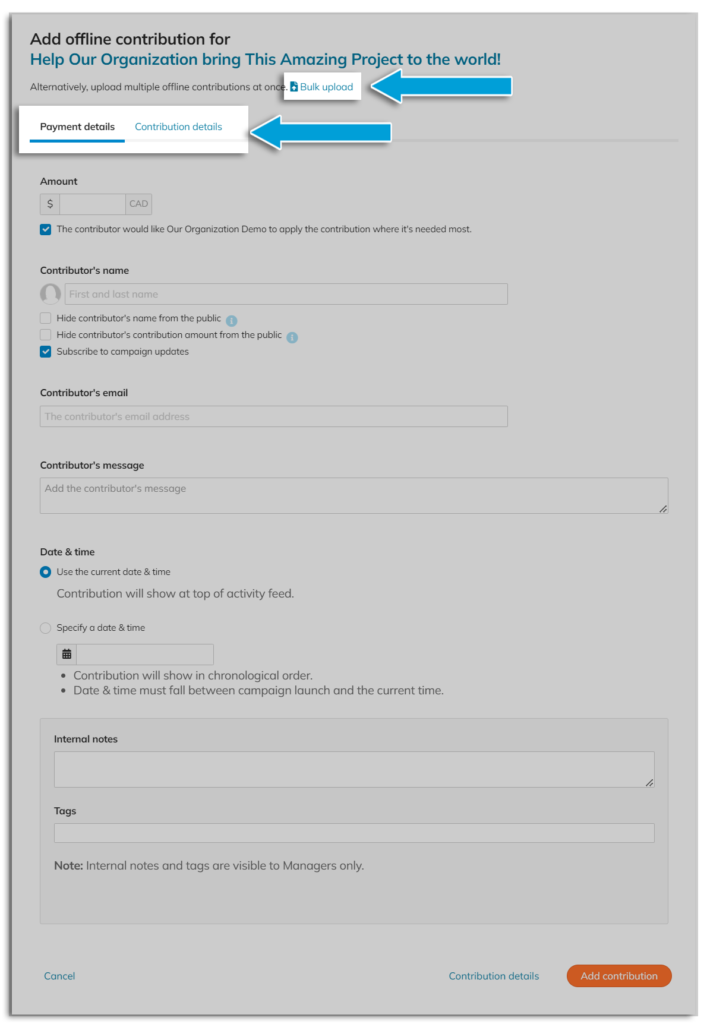
STEP 3 – Fill out the form with whatever details you like. Most are not mandatory, as this is for your records only. Then click ‘Add contribution.’
Make a note of the two tabs at the top (Payment details and Contribution details) and the option to upload in bulk (CSV only – click on ‘Bulk upload’ for instructions and a template).
Deleting #
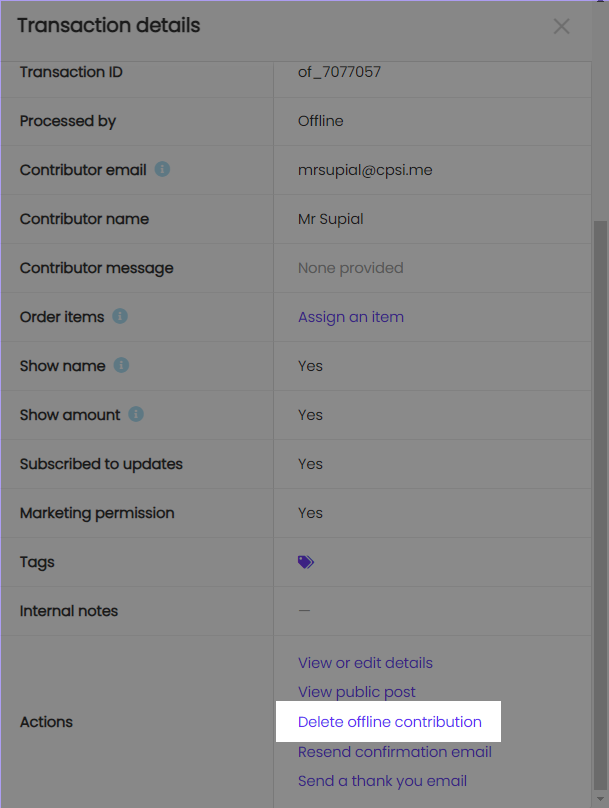
Click the three dots in line with the ‘Actions’ menu of the transaction in question, then ‘Delete offline contribution.”
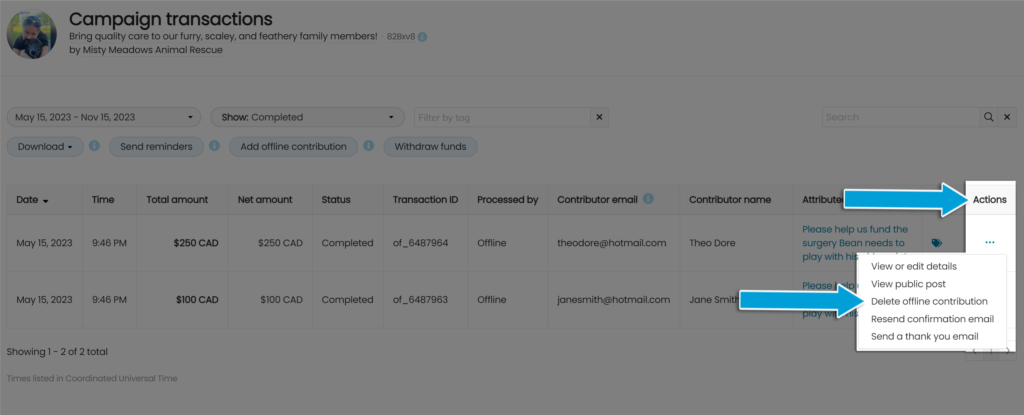
You can also click anywhere on the table in the transaction line to open the full menu and delete the transaction there.