
Invitations make it easy to invite people to participate in fundraising activities, peer-to-peer campaigns, DIY campaigns, microprojects, and other supported experiences across the ConnectionPoint platform.
With Release 108, managing Invitations is now easier. Invitations are available directly from your Organization menu, allowing you to view and manage Invitations across multiple campaigns from one central location.
What’s changed?
Previously, Invitations needed to be managed from within each individual campaign. Invitations can now be accessed from the Organization menu, making it easier to manage participation across multiple campaigns.
Where can I find Invitations? #
To access Invitations:
- Log in to your ConnectionPoint account.
- Navigate to your Organization.
- Select Invitations from the Organization menu.
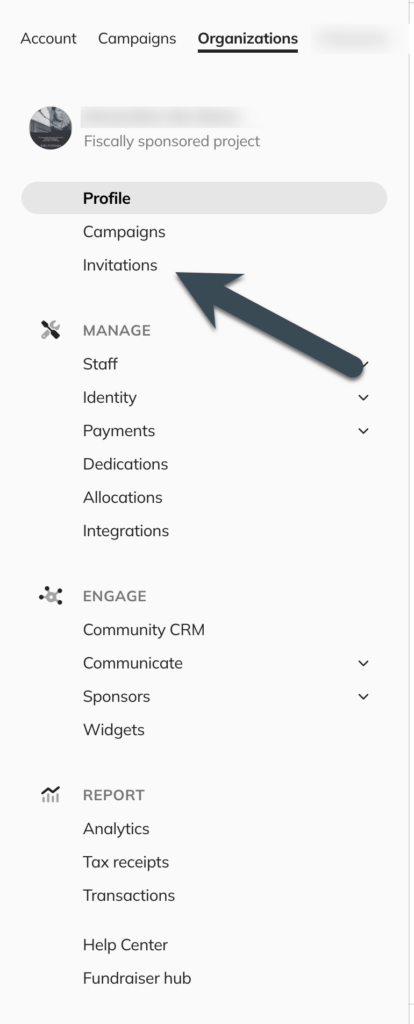
From here, you can view active Invitations across your organization’s campaigns and create new Invitations for campaigns that support this feature.
What can I do from the Invitations page? #
From the Organization-level Invitations page, you can:
- View active Invitations across your campaigns
- Create new Invitations without first opening a specific campaign
- Manage Invitations from one central location
- Quickly identify which campaigns have active Invitations
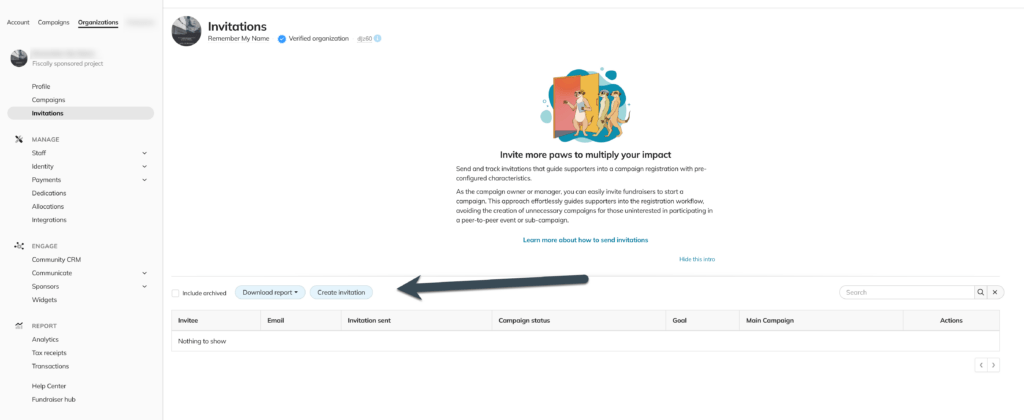
- Active Invitations list
- Campaign name/association
- Invitation status (if available)
- “Create Invitation” button
Caption: Viewing and managing Invitations across your campaigns
Creating a new Invitation #
To create a new Invitation:
- Go to your Organization.
- Select Invitations.
- Click Create Invitation.
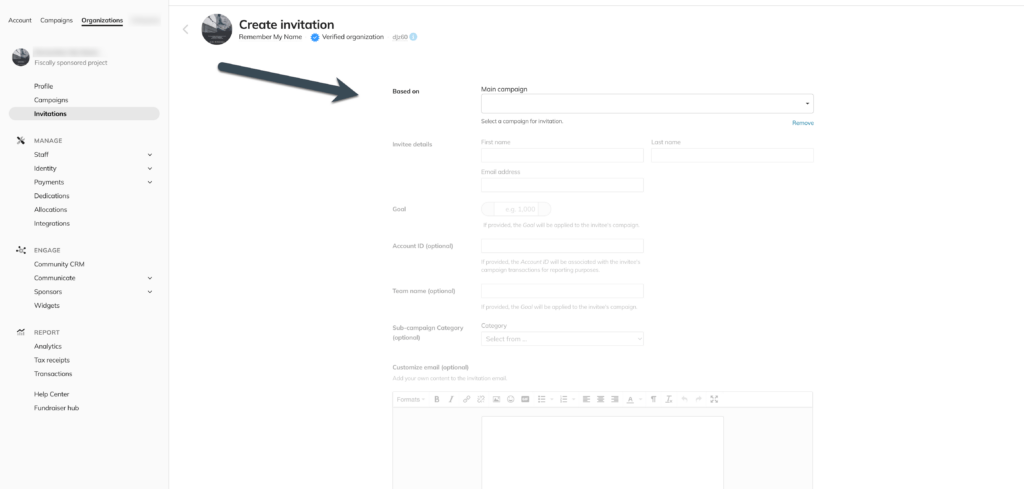
- Select the campaign you want the Invitation associated with.
- Add the required participant details.
- Send the Invitation.
- Campaign selection
- Participant information fields
- Send/Submit button
The person receiving the Invitation will be guided through the steps needed to participate based on the campaign type and setup.
Which campaigns support Invitations? #
Invitations are available for supported campaign types, including:
- Peer-to-peer fundraising campaigns
- DIY campaigns
- Microproject campaigns
- Supported CoCoPay campaigns
Availability may vary depending on your campaign configuration.